Design
How to avoid AI slop on a website built with AI
Why AI-built websites look alike and how to avoid it: signs of AI slop, rules and skills, design systems and ready-made templates.
Anyone can build a website in 2026: you just ask an AI to do it. But building a genuinely good one works out for only a handful of people, even with serious, advanced models. Building one that looks exactly like everyone else’s, or breaks basic design principles, is easy.
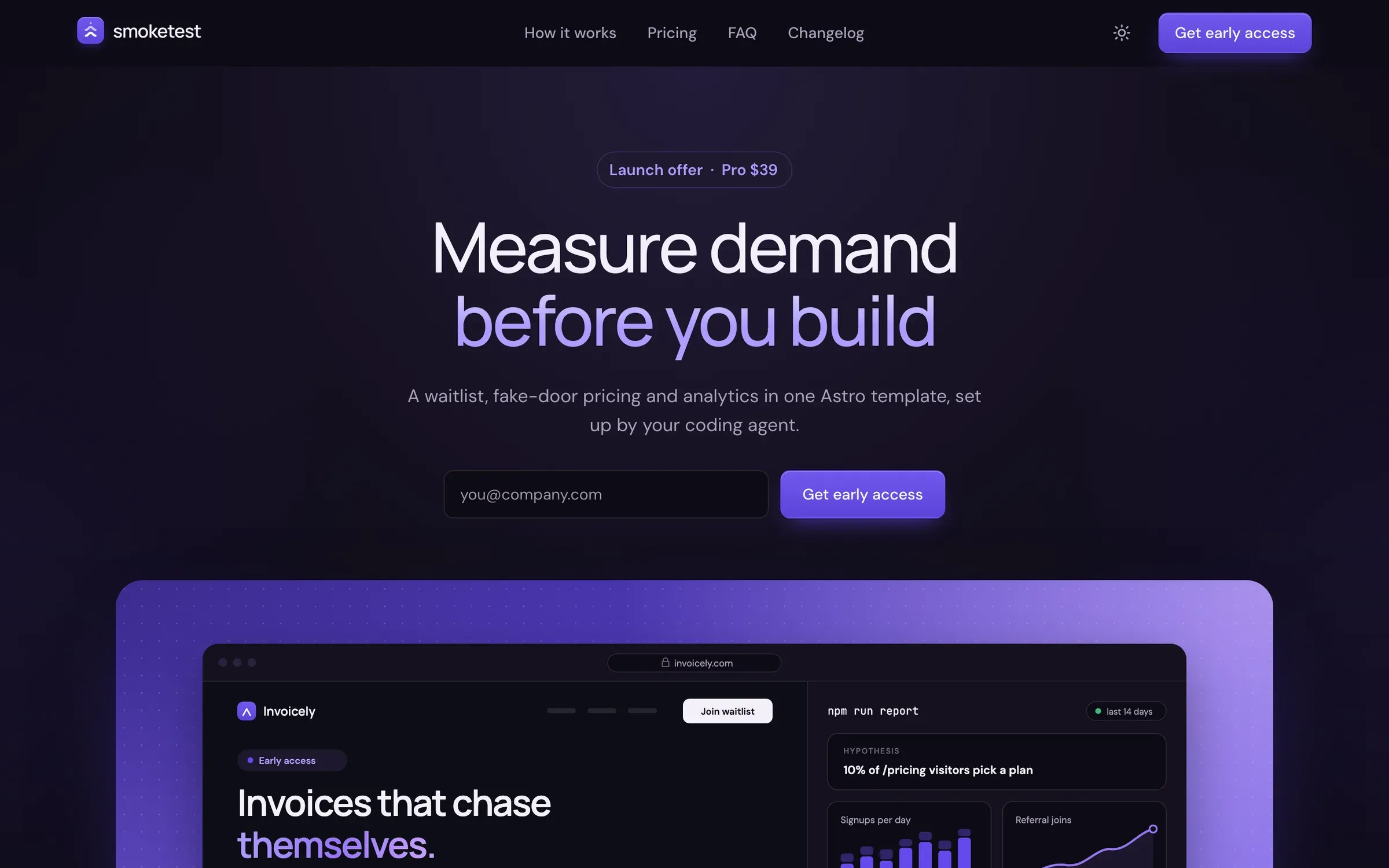
A website made with AI looks generic not because AI draws badly. If you don’t make the design decisions yourself, the model makes them for you and picks the most “average” option. That is why almost every such site has the same blue-purple gradient, three cards in a row and the Inter font.
Put ten AI-built sites from ten different companies side by side and cover the logos. You’ll struggle to tell them apart: a coffee shop, a law firm and a drone-delivery startup will all greet you with the same purple gradient, a centered headline and three cards with icons. It’s as if one very diligent intern built the entire industry from a single template.
What you’ll learn
- AI slop is an averaged, instantly recognizable style: the same fonts, gradients and layout blocks that AI produces by default.
- The cause isn’t that AI is “dumb”: if you don’t lock anything down, the model picks the most probable choices.
- References, rules and skills remove the obvious clichés but don’t set a direction: ban one habit and the model slides into another.
- The most reliable fix is a design system: decisions made in advance (colors, fonts, blocks, rules) in a form that AI reads and can’t reinvent.
- The simplest route is a ready-made template: a human has already designed it, and AI only edits the text and settings.
1. The problem: why AI-built websites look alike
AI slop on a website is the averaged design that AI produces by default, and that visitors have already learned to recognize.
What is AI slop?
Merriam-Webster named “slop” its 2025 Word of the Year.[1] The term describes low-quality content that AI churns out in bulk. In web design it doesn’t mean “bad” design in the old sense, like crooked spacing. Everything is aligned and tidy, yet you get the feeling you’ve already seen this exact site.
What it looks like on a website
Here are the signs that give such a site away. One or two mean nothing, but if half the list matches, you’re most likely looking at slop.
Classic signs of 2024–2025
- The Inter font (the most common “neutral” typeface), Roboto or Arial everywhere, with no pairing of a heading font and a body font.
- A blue-purple gradient on the hero section, buttons and headlines.
- A centered hero section: a small badge above the headline, then three identical cards with icons below it.
- The same corner radius and shadow on every element, with cards nested inside cards.
- Gray text on a colored background that is hard to read.
- Identical spacing between sections, as if stamped from one mold.
The 2026 wave
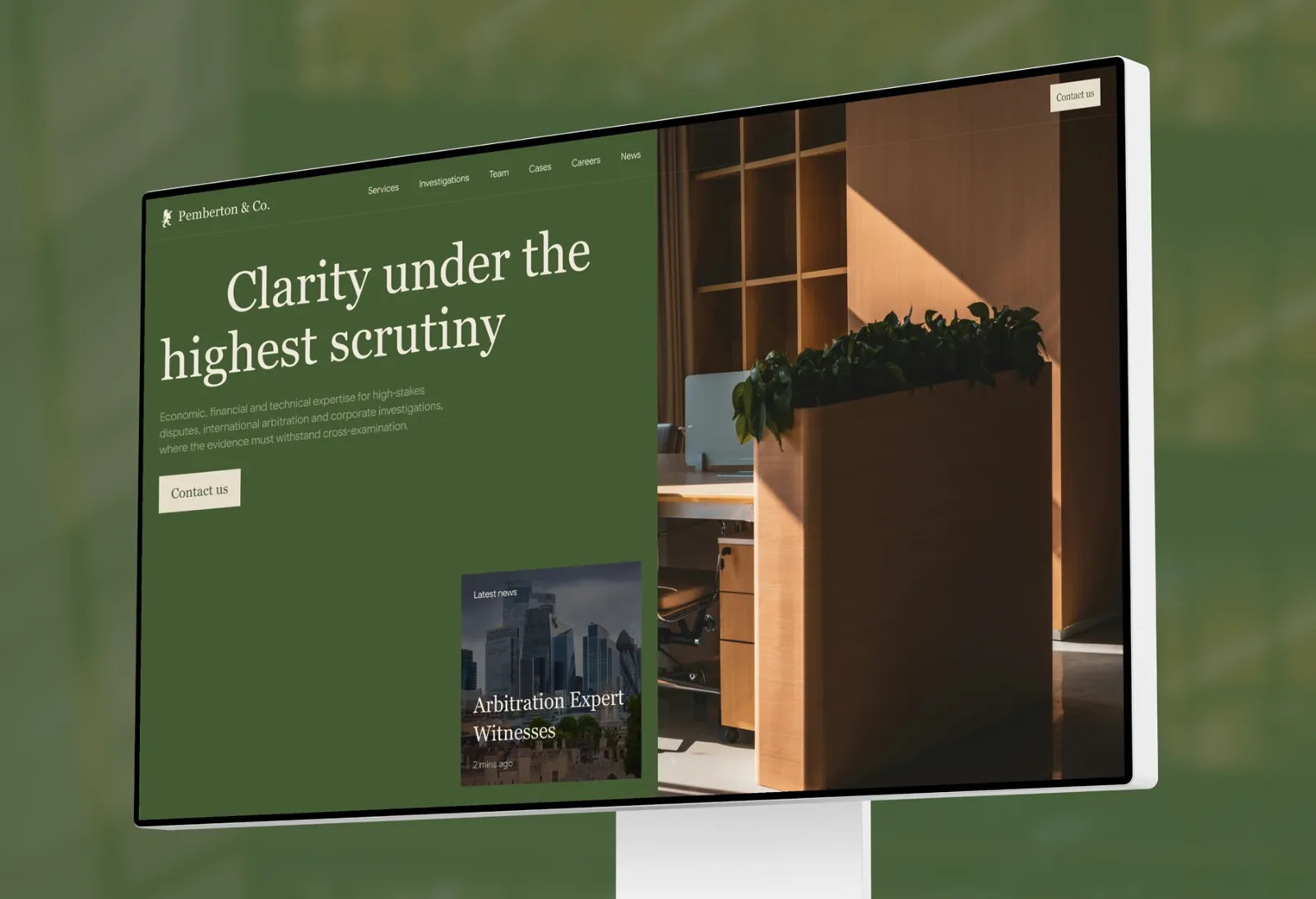
By 2026 the default had shifted. Columnist Kyle Chayka described the new look in The New Yorker (June 2026): beige and cream backgrounds, rusty orange accents, large italic serif type and news-style tickers that serve no purpose.[2] He traced it to the default style of Claude Design, and it now shows up in other AI coding tools as well. In his observation, banning some clichés simply produces another universal style.
In copy and images
- Vague slogans like “Build the future” and “not just X, but Y” constructions.
- Uniform stock photos or “plastic” AI illustrations with warm color grading.
Why AI makes everything look the same
1. The model picks the most probable option. In its official article on frontend design (November 2025), Anthropic explains that “safe” choices dominate the training data, and without direction Claude samples from the center of that distribution. The company calls the effect distributional convergence and admits that it makes AI interfaces instantly recognizable and strips them of brand identity.[3]
2. Everyone uses the same building blocks. Most AI tools assemble sites from one kit: Tailwind (a popular styling library), shadcn/ui (ready-made components), Lucide icons and the Inter font. Tailwind’s creator, Adam Wathan, half-jokingly apologized in August 2025: five years earlier he had made every button in the examples indigo (a blue-purple), and now every AI-generated interface comes out the same.[4]
3. Universal models give universal results. The founder of Base44 (owned by Wix) told Business Insider in July 2026 that frontier models have to be generically good at everything, so everyone feels they’re getting the same interface. The company even built its own model to get away from the “AI slop” look of generated sites.[5]
4. The wrong party makes the decision. The studio 925 Studios puts it this way: AI slop is what you get when the model fills in taste decisions that you did not make.[6]
Designers also suspect that a feedback loop makes things worse: AI-built sites end up in the training data of the next models, and the “average” gets locked in. That is a hypothesis, not an established fact.
How widespread is it?
There are no measurements for the whole internet, but there is one open experiment. In April 2026, independent developer Adrian Krebs checked 1,590 landing pages from Show HN (the showcase of new projects on Hacker News) against 16 slop signals. 22% of the sites (347) showed four signs or more, and another 32% (508) showed two or three.[7] The author himself estimates the false-positive rate at 5–10%, so read the numbers as a rough guide, not a precise measurement.
What it costs you
- Recognizability and brand. A site that resembles thousands of others isn’t memorable. Designer Matt Ström-Awn told The New Yorker about two clients whose sales decks looked as if the same company had made them.[2]
- Trust. In a Meltwater and YouGov survey (April 2026, nearly 10,000 consumers in seven markets), 32% said they would trust a brand less if they learned its content was AI-generated, while 15% would trust it more.[8] This is about AI content in general, not website design, but the direction is clear.
- Search. Google doesn’t penalize the mere use of AI. The risk is elsewhere: mass-producing pages that give readers no value counts as spam under Google’s scaled content abuse policy.[9] A generic design isn’t a ranking factor by itself, but generic copy can become a problem.
We found no direct data that slop design lowers conversion, so it’s more honest to talk about trust and recognizability.
2. What helps: references, strict rules and skills
Three techniques noticeably improve the result, but all of them work as a filter: they remove clichés without setting a design direction. Start with them before you buy or redo anything.
References
A reference is an example of a site you like: a link, a screenshot or a whole collection (a moodboard). How to work with them:
- Give the AI several references, around six rather than one, and explain what exactly you like in each: the grid, the typeface, the mood. A request like “make it like this” barely works.
- Ask it to propose two or three fundamentally different directions first, then pick one. OpenAI’s guide to GPT-5.4 (March 2026) advises the same: set colors, fonts and composition in advance, provide references, and use real copy instead of placeholders.[10]
- To capture a whole page, open it in Chrome, press F12, then Ctrl+Shift+P (Cmd+Shift+P on Mac) and choose “Capture full size screenshot.”
Where it breaks. A reference conveys the mood of one page, not the rules for a whole site. By the second or third page, the font, color and corner radius start to drift. And remember: borrowing techniques and mood is fine, but copying someone else’s site one-to-one is not.
Strict rules
Rules are a file of instructions that an AI assistant reads before it starts working. In Claude Code it’s called CLAUDE.md; in other tools it’s AGENTS.md or .cursorrules. Think of it as a briefing note for a contractor: what’s allowed, what isn’t, and how things are done.
Good rules are specific. Here is an example you can use as a starting point (ideas from Anthropic, OpenAI and the Impeccable project):
## Design
- Do not use Inter, Roboto, Arial or default system fonts.
- One font for headings and one for body text. Headings at least 3x larger than body text.
- Palette: one main color [your color], one accent [your color], everything else neutral shades. No pure black (#000), no pure gray.
- No blue-purple gradients and no gray text on a colored background.
- No cards inside cards and no icon above every heading.
- Do not invent new blocks: build pages from the project's existing components.
- In copy, no slogans like “Build the future” and no “not just X, but Y” constructions.
What else belongs in these files, and how AGENTS.md and CLAUDE.md divide the work, is covered in AGENTS.md, CLAUDE.md and llms.txt: what an AI-ready template needs.
Where it breaks:
- The model slides into another cliché. Anthropic’s own guide admits that even with bans, the model switches to another favorite font (Space Grotesk).[3] Ban beige and it moves to a different fixed palette instead of producing variety.
- Bans without direction. A filter removes a cliché but doesn’t come up with an idea. A rule about what not to do doesn’t answer “what should it look like?”
- Drift between sessions and pages. Font, color and navigation drift from page to page, because the model starts each request almost from a blank slate.
- Long files hurt. According to one study (arXiv:2602.11988), context files did not improve agents’ success rate and raised costs by more than 20% on average. Only short files written by a human, with non-obvious rules, helped.[11] Keep the briefing note short.
Skills
A skill is a package of instructions that an AI loads only when the task calls for it. Think of it as an expert’s cheat sheet that the assistant pulls out when needed instead of carrying it in its head all the time. The format is open, so the same skills work across different AI tools.
- frontend-design from Anthropic. A short instruction (about 400 tokens, meaning units of text for AI, roughly half a page) covering typography, color, animation and backgrounds, with an explicit list of things to avoid.[3] In Claude Code you install it with
/plugin install frontend-design@claude-plugins-official. - frontend-skill from OpenAI (for Codex). Focuses on restrained composition and avoiding extra cards. In April 2026 OpenAI moved its curated skills into plugins: in Codex, look for the Build Web Apps plugin (
/pluginsin the CLI). - Impeccable by Paul Bakaus (author of jQuery UI). A layer on top of frontend-design: commands for auditing and “polishing” a page, plus an automatic detector of typical mistakes.[12]
Where it breaks. When Impeccable 3.5 was released, Bakaus himself admitted that popular design skills, including his own and Anthropic’s, don’t actually turn AI into a good designer: the workflow is useful, but the result doesn’t become great on its own.[13]
Section takeaway. References, rules and skills are the brakes and the steering wheel, but not the route. They lower the odds of clichés but don’t lock decisions in across pages. To keep decisions from changing with every request, you need a system.
3. The best fix: a design system for AI
A design system removes slop most reliably: it’s a set of decisions already made, in a form that AI reads and can’t “reinvent.”
What it is, in plain words
A design system is a brand style written down so that both a person and a program can understand it. It has four parts:
- Tokens (design tokens): colors, fonts, text sizes, spacing, corner radii, shadows, animations. Names describe a role, not a shade: “primary,” “background,” “muted,” rather than “purple-500.”
- Components: ready-made buttons, cards, hero sections and blocks with variants. AI assembles a page from them like a construction set instead of drawing everything from scratch.
- “When and why” rules: which variant to use in which case, what’s forbidden, what contrast is acceptable. This knowledge can’t be derived from the code.
- A file the agent is sure to read: DESIGN.md, a tokens file or a style config.
Why it works
The model is left with no “blank spots” that it would fill with the average. Colors and fonts live in one place, and the prompt only needs to say “use tokens only.” Anthropic itself suggests packaging a company’s design system into a skill so that the knowledge persists and carries across tasks.[3]
Which formats exist
- DESIGN.md. An open format from Google (April 2026, Apache 2.0 license). The file starts with tokens in YAML, followed by plain text explaining the “why.” It ships with a checker, including a contrast check against the WCAG accessibility standard. The community puts it this way: CLAUDE.md covers behavior, DESIGN.md covers looks, AGENTS.md covers coordination. The format is still in alpha and will change.[14]
- Design Tokens (W3C Community Group). A common format for exchanging tokens between tools; the first stable version came out on October 28, 2025. It’s a community group report, not an official W3C standard.[15]
- shadcn registry and Tailwind
@theme. Technical ways to store tokens and components so that AI tools pick them up. These are more for developers.
What a good design system for AI looks like
Below are practical guidelines, not strict norms:
- One source of truth. Tokens live in one file, and the description points to them instead of duplicating values.
- Clear roles instead of numbers.
--color-accent, not--purple-500. - Few options. For example, 5–7 font sizes, 6–8 spacing steps and 2–3 corner radii. The smaller the choice, the less drift.
- Components with variants. Plus a rule: “new sections are built only from existing blocks.”
- A written “never” list. Brand tone and bans, including the 2026 clichés such as a beige background with a terracotta accent.
- Voice and copy as part of the system. Example headlines, banned constructions, paragraph length.
- Checks. A DESIGN.md linter, a detector such as
npx impeccable detect, a contrast check and a human review.
Where this approach breaks too
- Someone has to design the system. A design system that AI assembled from its own defaults simply locks in the slop.
- It takes days or weeks of work, and you need a person with taste to make the decisions.
- DESIGN.md is still in alpha, and agents sometimes ignore instructions, so you need automated checks and a human eye.
If you have neither the time nor a designer, there’s a simpler path.
4. The simplest fix: a ready-made template
A ready-made template is a design system “out of the box”: every taste decision in it has already been made by a human, and AI works within those limits.
Why it works
- The design is already thought through. The font pairing, palette, rhythm and composition were chosen by a designer. AI is left with what it does well: copy, settings and new pages built from ready-made blocks.
- It’s faster. Hours instead of the days or weeks it takes to build your own system.
- It’s predictable. What you saw in the demo is what you get. Generating from scratch is a bit of a lottery every time.
How it works on Astro
Astro is a popular tool for fast websites: landing pages, blogs, company sites. It has several properties that suit working with AI.
- Site blocks are separate components. The hero, the benefits, the call to action: this is a vocabulary from which AI assembles new pages.
- Content is separate from design. Text lives in ordinary files (Markdown, JSON) inside “collections” with a schema. If AI makes a mistake in the format, the build reports an error instead of silently breaking the layout.[16]
- Settings and tokens live in one place. To recolor the site, you change a few values instead of 40 files.
- Official AI support. Astro’s documentation has a section on working with AI tools and a connectable documentation server (MCP) that gives AI fresh knowledge of the framework, because models often remember outdated techniques. The authors themselves advise starting from a template.[17]
Honest limitations
- A popular template can become a “template” itself. Stand out through content: your own copy, photos, brand colors and voice.
- Without rules, AI will blur the design. If you don’t forbid it from drawing from scratch, it will gradually replace the designer’s decisions with its own defaults. You need a short rules file (AGENTS.md or CLAUDE.md).
- A template doesn’t replace real content. Empty AI copy in beautiful packaging is still empty.
- It may not suit non-standard products. A brochure site, a landing page or a blog is a good fit; an unusual interface will need custom development.
- A file for AI is no guarantee of quality. There are already many templates with AGENTS.md and skills on the market, including free ones. Look at the design itself and whether a coherent system stands behind it.
Comparing the approaches
| Approach | Time | Slop risk | Consistency across pages | Best for |
|---|---|---|---|---|
| Generating from scratch (“make a landing page”) | minutes | very high | low | prototypes and drafts |
| References and rules | hours | medium (the model slides into another cliché) | medium | people with a trained eye |
| Skills (frontend-design, Impeccable) | hours | medium or lower | medium | developers and vibe coders |
| Your own design system + DESIGN.md | days or weeks | low | high | teams and brands with a designer |
| Ready-made template with rules for AI | hours | low (if AI isn’t allowed to “draw from scratch”) | high | most small sites |
The ratings in the table are our expert judgment, not measurements.
ShipThemes’ Astro templates are built for exactly this scenario: the design is crafted by a human, and AI edits content and settings inside a ready-made system. Each template comes with the full Astro source and every page from the live preview, so new pages are assembled from blocks a designer has already made. Browse the templates.
Conclusion: what to choose
AI slop isn’t “bad AI.” It’s decisions that nobody made: whoever doesn’t decide, the model decides for them, and it decides with the average. The more decisions you lock in up front, the less your site looks like thousands of others.
Here’s the ladder, from the weakest approach to the strongest:
- A “make it look nice” prompt is a lottery.
- References and rules remove the obvious clichés.
- Skills add expert rules.
- A design system locks decisions in across pages.
- A ready-made template with rules for AI is a design system out of the box.
If you need a website rather than a design project, the shortest path is to take a template and give AI what it does best: copy, page structure and settings.
What to do next
- Check your own site against the list of signs in section 1.
- Want AI to write the copy while the design stays yours? Choose a ShipThemes template for Astro.
- Keep reading: how to work with a template together with AI and how to publish a finished site on Cloudflare.
Frequently asked questions
What is AI slop in web design?
It’s the recognizable, averaged style that AI produces by default: the Inter font, purple gradients, a centered hero section and three identical cards. In 2026 it was joined by beige backgrounds, terracotta accents and italic serif headlines.
Why do all AI-built websites look alike, and why so much purple?
Models pick the most probable choices from their training data, and most tools assemble sites from the same kit: Tailwind, shadcn/ui, Lucide and Inter. The purple largely traces back to the indigo buttons in Tailwind UI’s examples. Tailwind’s creator, Adam Wathan, publicly “apologized” for this in August 2025.[4]
Is it enough to write “don’t use Inter or purple” in the prompt?
No. The result will improve, but the model will slide into another template, and Anthropic itself acknowledges this. It’s more reliable to lock decisions in up front: the palette, the fonts and the ready-made blocks.
Will Google penalize a website made with AI?
Not for using AI as such. Google judges how useful a page is to the reader, not how it was made. The risk is mass-producing pages with no value, which violates its scaled content abuse policy.[9]
How do I install Anthropic’s frontend-design skill?
In Claude Code, run /plugin install frontend-design@claude-plugins-official or npx skills add anthropics/skills --skill frontend-design. In OpenAI’s Codex, the closest equivalent is the Build Web Apps plugin (/plugins in the CLI). Keep in mind that a skill removes clichés but doesn’t replace a design system.
What is DESIGN.md?
An open format from Google (April 2026): a file in the project root with tokens in YAML and written explanations of why those values were chosen. You reference it from AGENTS.md or CLAUDE.md. The format is still in alpha.[14]
What’s the fastest way to make an AI-built site look different from the rest?
Change the font, replace stock photos with real ones, and rewrite the headlines in your own voice. According to some designers, changing the font gives the biggest effect for the least effort. Even faster is to start from a template where these decisions are already made.
Is Astro a good fit for editing a site with AI?
Yes. Its site blocks are separate components, text lives in files with a schema that catches errors at build time, and the documentation has an official server for AI tools (Claude Code, Cursor, Codex and others).
Sources
- Merriam-Webster, Word of the Year 2025 (December 15, 2025); see also TechCrunch’s report
- Kyle Chayka, The A.I.-Design Aesthetic That’s Taking Over the Internet, The New Yorker (June 24, 2026)
- Anthropic, Improving frontend design through Skills (November 12, 2025)
- Adam Wathan, post on X (August 7, 2025)
- Business Insider, Base44’s CEO says the company built its own model to stop churning out AI-slop designs (July 2, 2026)
- 925 Studios, AI Slop Fonts and Gradients: The Tells That Give Away AI Design
- Adrian Krebs, Scoring Show HN submissions for AI design patterns (April 20, 2026); analysis code and Hacker News discussion
- Meltwater, Meltwater and YouGov Release Global Report on Consumer Perception of Generative AI (April 21, 2026)
- Google Search Central, Google Search’s guidance on generative AI content on your website
- OpenAI, Designing delightful frontends with GPT-5.4 (March 20, 2026)
- Gloaguen et al., Evaluating AGENTS.md: Are Repository-Level Context Files Helpful for Coding Agents?, arXiv:2602.11988
- Paul Bakaus, Impeccable
- Paul Bakaus, post on the Impeccable 3.5 release (May 29, 2026)
- The Decoder, overview of Google’s DESIGN.md format
- W3C Design Tokens Community Group, first stable version of the specification (October 28, 2025)
- Astro Docs, Content collections
- Astro Docs, Building Astro sites with AI tools